Three more agents recorded before they act, on Linux
On Linux, Codex CLI, Gemini CLI and GitHub Copilot CLI are now recorded before each action, and rules can ask or block. Gemini CLI and GitHub Copilot CLI are recorded the same way on macOS. So is Codex CLI, on macOS and on Windows. On Windows nothing changed for Gemini CLI and GitHub Copilot CLI. The check of the record now also comes as a program of its own, with a written specification of the formats. The recorder got faster, and a workspace can now choose to have an agent recorded after the fact, with no delay and no blocking. Evidence can now leave Antler: outside timestamps, delivery to storage the company owns, and legal holds. This work was merged on 16 and 17 November.
Improvements (35)
Recording
- On Linux, Antler now records Codex CLI, Gemini CLI and GitHub Copilot CLI before each action, through their hooks. Rules can ask or block there.
- On macOS, Gemini CLI, GitHub Copilot CLI and Codex CLI are now recorded before each action too, after real runs of the same versions there. On Windows, Codex CLI is as well.
- Each was checked in real runs of one version, against a local stand-in for the model: Codex CLI 0.169.0, Gemini CLI 0.68.0 and GitHub Copilot CLI 1.0.112.
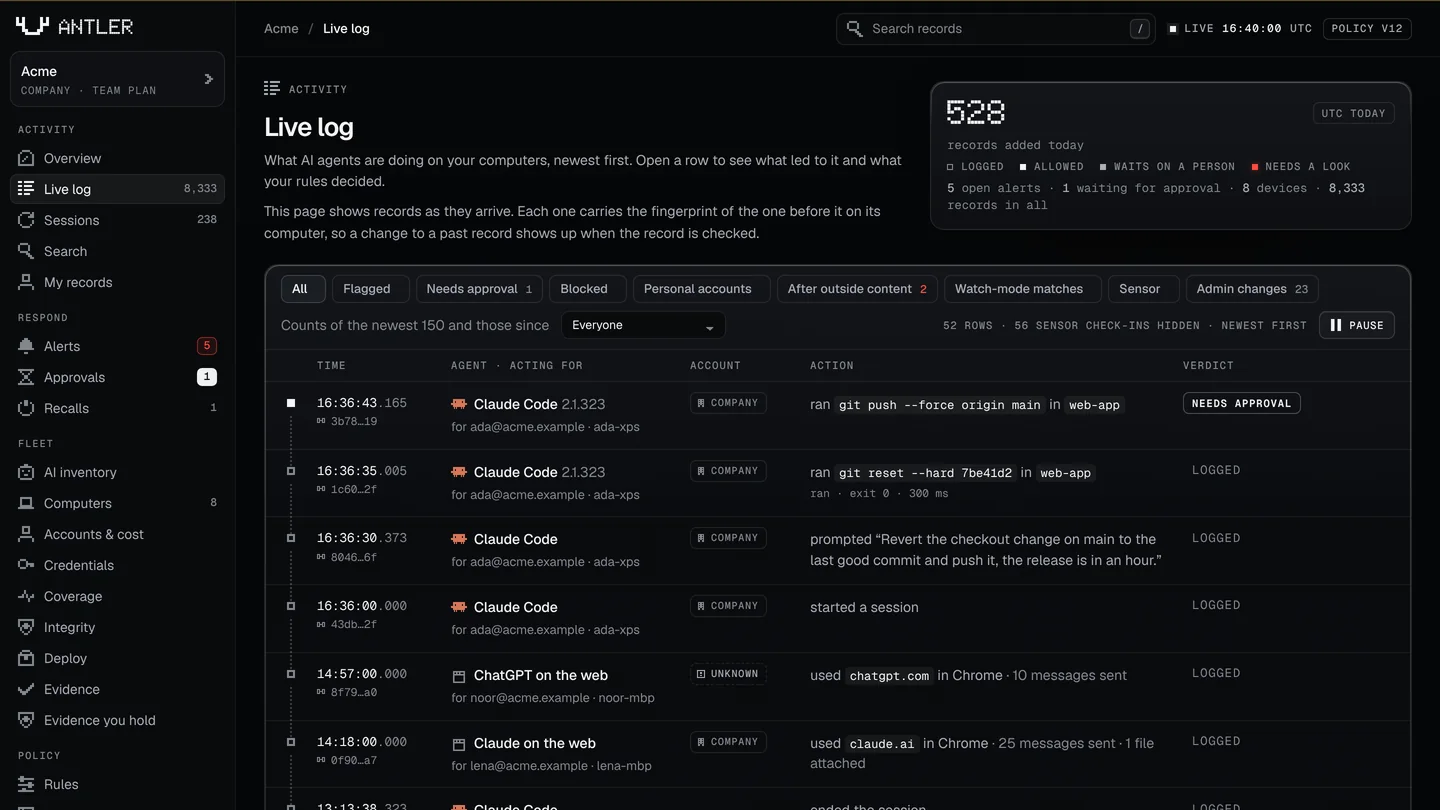
- Records of Codex CLI and Gemini CLI sessions now name the input that led to an action.
- The recorder is faster: about 4 ms for an action at the median, measured on Linux.
- A workspace can have Claude Code, Codex CLI or Gemini CLI recorded after the fact instead. Nothing then runs before that agent's actions, so there is no delay, and rules cannot ask or block for it.
- The AI inventory now lists what each AI tool on a computer can reach: its tool servers (MCP), its plugins, and the types of credential it can read. Antler reads the names and types from the tool's settings, never a value.
- Records of a session start, a prompt and an action about to run now say which program asked.
Rules and alerts
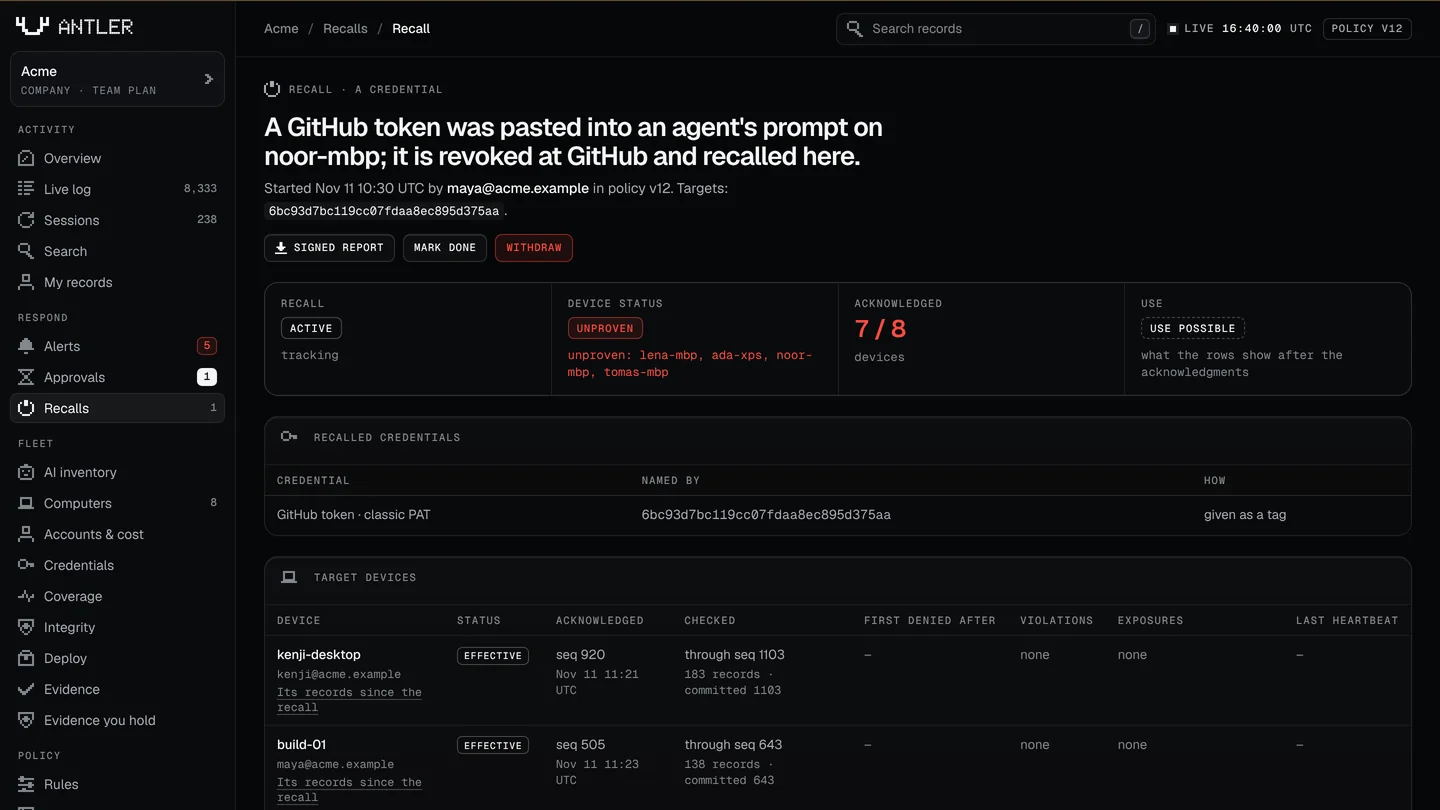
- Antler checks that the hooks of these agents are still in place on each device, and raises an alert when they are not.
- Browser controls: for each AI site and kind of account, a workspace can allow, allow and alert, or warn the person and point them to the company account.
- Blocking a site in the browser is built, but it is offered for no site yet.
- Alerts can go to a syslog receiver, over TLS, as JSON or CEF. Tested against Antler's own listener only.
- Rules can name the program, the operation and the resource of common commands, such as a forced push in git or a delete in a cloud command line. A command Antler does not understand matches no such rule.
- Alerts and approval requests can go to PagerDuty, Opsgenie and Google Chat. These follow each service's published API and were tested against local stand-ins, not live accounts.
- A rule that asks can send its request to a group of approvers at one destination.
Coverage
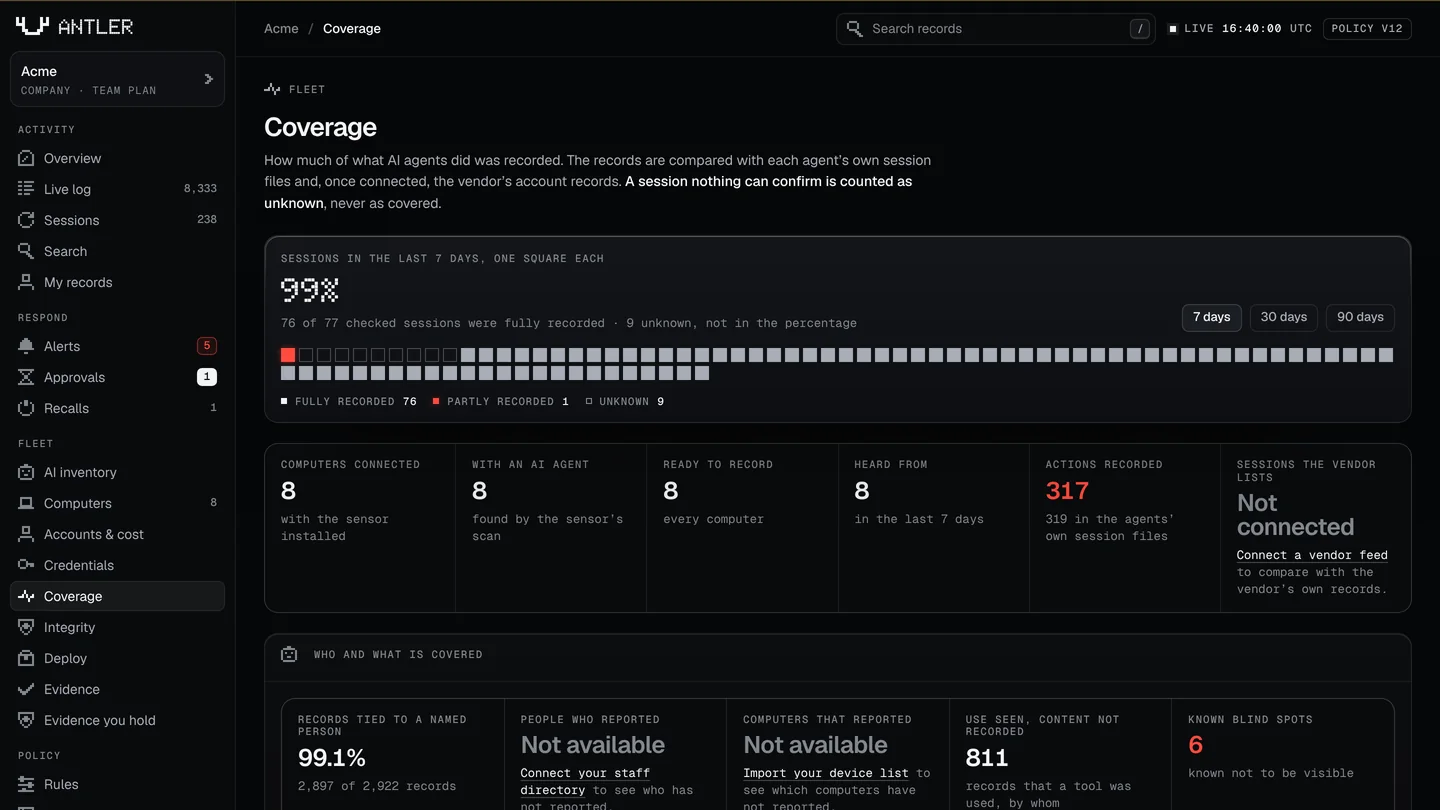
- Each agent Antler knows now has a level on each operating system: enforced, recorded, detected or blind. The coverage page shows it.
- The signed coverage report has a new format. It states those levels, counts the records at each level, and names the agents found on devices that were not recorded.
- It adds two ratios: the share of records tied to a named person, and the share of the people and devices on the company's own lists that reported. Without those lists it says not available, never 100%.
- A report signed in the older format still verifies.
- The signed coverage report has a third format. For Claude Code sessions on a company account it compares the vendor's own record with the computers' records, session by session, and says which were recorded fully, partly or not at all.
- It also counts the actions an agent's hooks missed, per agent and version, from the sessions in the report.
Proof and documentation
antler-verifyis the check as a program of its own, so an auditor can check evidence offline without the recorder.- The formats of the records and the evidence are written down in a specification, with test files a second verifier can be held to.
- An API reference, written from the product's own list of routes.
- The README and the docs were rewritten, with the performance results of 16 November.
- A checker now runs on each change to the code. It refuses a sentence in the README, the docs, this site or the dashboard that says more than the product does.
- A new logo, a pair of antlers, in the dashboard and the browser extension.
- The format specification is published on this site, with its test files, and a page says what a passing check shows and what it does not.
- Pages for IT and security reviewers: what the recorder does on a laptop and what it costs, a filled-in security questionnaire, and a plan for a pilot.
- A workspace can have its log timestamped by an outside timestamp authority it chooses (RFC 3161).
antler-verifychecks the tokens offline. Tested against a stand-in authority. - A workspace can have its records delivered to storage the company owns, as sealed files that
antler-verifychecks from the files alone. - Legal holds: an admin can hold the records of a person, a computer or a time range, with a name and a reason. Held records are skipped by retention and deletion, and each hold is itself recorded.
- A computer can keep a second key in its security chip (a TPM on Linux, the platform provider on Windows) that signs for its heartbeats, so a copy of its files on another computer shows. This is off by default.
- A page says how Antler behaves beside another tool's hooks in the same agent, from real runs on Linux with a stand-in second tool.
- A demo workspace of a made-up company, built by the real recorder, for showing the product. The pictures on this site come from it.
Fixes (3)
- Turning secrets into tags was slow on long text that repeats one word such as “secret”: a megabyte took 4 seconds. It now takes a small fraction of one.
- On Windows, a damaged device file is now set aside cleanly, and the computer can connect again.
- The upload step has a memory limit, so it stays within its budget on a busy machine.
Security (3)
- On macOS and Windows the recorder now ignores environment settings that could make it trust a certificate other than the operating system's.
- On Windows, the recorder now looks at what a user's folder holds before it takes the folder over.
- A choice to record an agent after the fact no longer carries over when a computer moves to another workspace.
Limits (9)
- On Windows, Gemini CLI is still recorded after the fact, as a log only, and GitHub Copilot CLI is detected only: in a real run of each there, a required check did not pass.
- Cursor, Windsurf, and GitHub Copilot in an editor or as a desktop app are still detected only.
- Codex CLI and Gemini CLI let the action run when a hook crashes or times out. GitHub Copilot CLI lets it run when a hook times out.
- A person, or an agent, can switch Gemini CLI's hooks off. Antler reports that the hooks are disabled.
- Codex CLI has no confirmation of its own. A rule that asks goes to an approver, or the action is denied.
- GitHub Copilot CLI keeps no session files that Antler reads, so a call its hooks missed is not counted. Its prompts cannot be blocked.
- The key in a security chip has run against stand-ins, not yet a physical chip, and it is not offered on macOS. That the key is in a chip is the computer's own statement: Antler does not check a certificate from the chip's maker.
- The comparison with a vendor's record covers Claude Code on a company account. Sessions that reach the model another way, such as through an API key, and sessions of the other agents are listed as not comparable and are never counted as matched.
- No real timestamp authority or company storage bucket has been used yet. Nothing here makes a legal claim about holds or timestamps.